 In today’s podcast I interview Josh Wolff from Discovery Educator Abroad … and I call him Jeff. :P
Academic Aesthetic Podcast 81b
Mark this date on your calendars – Steve Dembo has now appeared in an Academic Aesthetic podcast!
Links of interest:
Teach42.com (Steve’s awesome website.)
DEN website (What Steve does for a living, besides other things.)
DEN National Leadership Conference Wiki
NLC 06 Day 1 AM
 Wow.
Wow.
I’m at the 2006 Discovery Educator Network National Leadership Conference, and it’s already awesome.
I got here last night, and within 5 minutes of my arrival at the hotel I had shaken hands with 6 people I knew from other conferences, three of them telling me that they were going to show my last video at this conference.
The strangest thing is when people I’ve never met recognize me. I’m used to students calling out “Hey, it’s the Art Guy,” but there’s still something odd about having one of my peers see my hat and exclaim “Oh, you’re the Art Guy!
Oh well. I’ll post more as it happens, along with any and all photographs.
Technorati Tags: NLC06
Academic Aesthetic Podcast 80
In today’s podcast I try out Google SketchUp, a cool program available for Windows and, yes, now for Macs as well.
A while back another DEN member (whose name I forget – sorry!) blogged about Google SketchUp, a free program that makes it very easy to design in 3D and export your creations into different formats including Google Earth. My initial response was that it looked like a cool program, but I was disappointed that they didn’t have a version that would run on a Mac.
(Remember, I’m one of those crazy people who don’t do Windows.)
Well, they finally developed their Mac version, so I decided to see what the fuss was about.
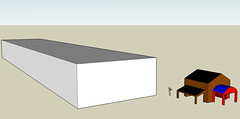 Google SketchUp required me to log in as an administrator in order to install it, which was annoying but not too much so. Still, that does mean that if you want to put this on the computers in your classroom you’ll either need administrative privileges or a method of asking your Technology Coordinator nicely.
With that unpleasantness aside, I opened the program and was greeted with a window offering to teach me all the basics using three self-paced tutorials. I won’t go through all the steps here, but let’s just say it was very intuitive and user-friendly.
The only problem I really encountered once I got SketchUp running was the absence of hot keys. Many programs have key combinations that act as shortcuts for certain repetitive steps. The different tools in Photoshop, for example, each have a key assigned to them so that you can switch between, oh, say, the pencil tool and the eraser tool without having to move the mouse around too much.
When you get used to hot keys, you really get used to hot keys. However if you’re the type that always goes to the top of the screen to pull down a menu, you won’t even notice that problem and my whole rant’s been for nothing.
There is something I noticed that I think is infinitely cool, though: SketchUp uses three point perspective. For those of you who haven’t had an art class in a while, artists figured out that if you take parallel lines (like the sides of a road) and stretch them off into the distance they appear to get closer together the further back they went. This illusion, when copied in their paintings, helped create a feeling of depth that hadn’t existed before. Simple examples would have all of their parallel lines meant to move back in space meeting at a single point, or vanishing point. The lines didn’t have to go all the way to those points, mind you – they just needed to be angled so that if they were longer they’d touch the vanishing point.
More complex artworks can include two vanishing points, and the photorealistic ones include three points. Three vanishing points, three dimensions, that’s not a coincidence, by the way.
Now where was I? Oh, yes. SketchUp uses three vanishing points, so if you draw a large box you’ll notice that none of the lines are in fact parallel – but it’ll still look realistic. I think that makes SketchUp a great program for art lessons on perspective. It takes an abstract concept like three dimensions on a two dimensional surface and does the difficult stuff for the student, so they can get a better idea of what drawing with a vanishing point should look like.
I don’t think SketchUp should replace handing the students paper, pencils, and rulers for a perspective unit, but I do think it would be a nice way to warm them up before they start the hard work.
Academic Aesthetic Podcast 79
In today’s podcast I show just how easy it is to create a new blog.
Yesterday I decided to make a new website.
Don’t fret, I’m not getting rid of AcademicAesthetic.com any time soon, but I enjoy making Artist Trading Cards so much that I decided to make a site for sharing my favorite ones.
 Of course I could just post them on my Flickr account, but their pesky 200 picture limit, along with their “Focus on photos, not anything else!” policy left me thinking I should pick another resource.
So once again I turned to Blogger.com. One of the neat things about Blogger is that you can have more than one blog on the same account, so after I logged in I just clicked on the little button that said “Create A Blog.”
 Then came the hardest part – figuring out a name for the new blog. I felt “Artist Trading Cards” was self explanatory enough, but wouldn’t you know it, someone had already registered a blogger blog as artisttradingcards.blogspot.com. After playing around with a few other names I registered artistcards.blogspot.com and I was ready to go!
Sorta.
You see, there’s nothing wrong with the default templates for Blogger – I recommend them, in fact, but I wanted something a little different. I also didn’t want to spend as much time customizing this new blog as I did my Academic Aesthetic one. For the solution, I turned to Google.
A quick search using the words “Blogger templates” found a site conveniently titled Blogger templates. They didn’t have millions of looks to choose from, but they had one I liked and that was enough. I copied the code and went to my new blog’s settings page. A quick click on the “Template” tab later I was pasting the new code in, and after clicking on the big button that said “Republish,” my blog had a brand new look.
Now granted, I did a little more after that: I tweaked the RSS feed using Feedburner, added a web counter to see how many visitors I get, and slapped a Creative Commons license on the whole thing. I also changed the default links listed in the sidebar to ones in which I was more interested, but that’s content for another podcast.
The moral of this story is that if you’re holding back on blogging because you think it’s too hard, don’t. I may do a little more modifications to my site than the average person, but the majority of my work yesterday was nothing more than copying and pasting. If you can use Microsoft Word, you have more than enough skill to fool around with Blogger.
Oh, and if you’re interested in that new blog I made, I intend to post a new Artist Trading Card every weekday. I’ve already got a month’s worth ready for posting, so I don’t need to worry about running out of content any time soon.
Academic Aesthetic Podcast 78
In today’s podcast, I discuss the next best thing to attending NECC – having others attend NECC.
Earlier this year there was a contest where the winners would get to attend the National Educational Computing Conference for free. As the conference is being held in San Diego this year, I was very interested.
I didn’t win.
But no matter, for through the power of RSS and tags I’m getting write-ups, interviews, photos, and more delivered to me as they happen.
This is one of the great things about the edu-blogosphere. If at least one of us attends a conference and blogs about it, podcasts about it, or simply takes some pictures and posts them on Flickr, the rest of us can attend that conference THROUGH that person.
Lucky for me, there’s more than one blogger hanging out at NECC this year.
David Warlick, Steve Dembo, and Will Richardson are all there, along with others. The first full day of the conference isn’t even over yet, and already I had to pull myself away from my Bloglines account just so I could do today’s podcast.
Of particular note is David Warlick’s latest creation, HitchHikr. Like most websites that have vowels conspicuously absent from their names, this thing is really cool. It makes use of tags to collect postings related to the conference of your choice, and feeds them to you in a quick, easy to scan through summary. It even includes a column of the most recent Flickr photos from that conference, so this morning when I checked it I was greeted with a boatload of fireworks photos courtesy of Steve Dembo.
(To all of my readers in the US: hope you had a great 4th of July.)
Now it’s worth noting that without tags Hitchhikr is useless, so the more bloggers who start tagging their postings and podcasts, the more robust Hitchhikr will be. This is something that can only get better.
…I just have to get up off of my butt and figure out how to add tags to my own posts.
Technorati Tags: necc necc06 Hitchhikr Flickr David Warlick podcast
Today’s podcast
Good news: Today’s podcast is ready to go.
Bad News: Both Big in Japan and Ourmedia won’t let me upload the .mp3. Is anyone else who uses these services having problems?
This is what I get for using sites that are still in alpha testing.
Academic Aesthetic Podcast 77
In today’s podcast I discuss the pros and cons of BubbleShare.com.
Yes, I’m still wrapping up my experiences from last week’s conference, but don’t worry – today I’m only going to mention it a little.
It seems that every time I go to an event sponsored by the Discovery Educator Network they teach me how to use PhotoStory. Now PhotoStory IS a nifty program that lets you combine photos and audio to create slideshows, but since it’s distributed freely by Microsoft, it’s Windows only.
If you know anything about me, you know I’m a Mac guy. Rants on security and reliability aside, I can’t run PhotoStory on my pre-Intel PowerBook. So you can understand that I would get a little annoyed when PhotoStory is shoved down my throat on a regular basis.
What’s a MacAddict to do? Why, find a free alternative, of course!
BubbleShare.com has made a name for itself by allowing anyone to share photos and add tags to them. Sounds a lot like Flickr, doesn’t it?
Well, the similarities end there. BubbleShare only stores smaller versions of your pictures, and even then only for a year – although you can renew at the end of that year for free. That being said, I couldn’t find anything about hitting a size quota – something that definitely gives BubbleShare a one up on Flickr.
BubbleShare’s key feature is the slide show. It uses a flash based system to run through the photos in a particular album, as you might expect, but there’s more to it than just that.
It lets you record audio. That’s right, just like PhotoStory, but through a web based interface. Office 2.0, eat your heart out. The down side to this is that since it’s over the internet you might get that stutter commonly attributed to VOIP (Voice over IP, or internet phone calls) conversations. When I was working on my sample album for this podcast I had to rerecord more than one segment because of that.
Once your album’s set up the way you like it, you have a variety of ways to share it. You can email it to people, embed it in your blog or other website of choice, or change your album setting to “public” (the default is private, making it kid safe) and allow it to be added to their searchable database.
DEN NorthEast Regional Institute 2006 Video
 With much ado, here is the (50.1 MB) video summary for the Discovery Educator Network’s Northeast Regional Institute – complete with never before seen footage! (I guess you could say this is the director’s cut?)
I hope you have as much fun watching this video as I’ve had making it.
Academic Aesthetic Podcast 76
In today’s podcast, I talk about Steve Dembo’s presentation on “Office 2.0.”
Last night I slept in my own bed – something I hadn’t done since a week ago, thanks to a trip to Pennsylvania to see my father-in-law and attend the Northeast Regional DEN event.
Yes, I know I’ve been talking about it a lot, recently, but any time you have 50 educators from 8 different states getting together to learn about technology integration I feel that I can’t say enough.
Will Richardson wasn’t the only big name presenting at the event this week. We also had Steve Dembo … more or less.
Steve presented through the use of Vyew.com, a free website that lets you do live presentations over the internet. I’ll admit it had some minor bugs, but with us communicating back and forth via Skype (I don’t think Vyew supports voice) it still had more than enough bandwidth to work decently.
Mr. Dembo’s workshop was all about what he called “Office 2.0,” which I thought would refer to OpenOffice.org, a free alternative to Microsoft Office that just recently reached version 2.0.
I was wrong.
Steve did give us free alternatives to Microsoft Office, but also for Photoshop and iMovie. The most notable thing about his alternatives was that they weren’t programs – they were all websites!
Having a website with the functionality of a desktop program opens a lot of doors. I’ve been in many buildings where the computers weren’t powerful enough to handle Adobe Photoshop, but did have enough RAM to load an image editing website. Add to that the possibility of remote storage and collaborations with schools across the country and across the world just got a whole lot easier.
Sound interesting? well you’re in luck, because Steve put all of his links on the DEN North East Event wiki’s Workshops section.
That’s all for now, so if you don’t mind I’m going to go edit some video.