Sites like Facebook, Twitter, Tumblr, Flickr (the list goes on…) are (or have been) extremely popular, in part because they’re free, but also because they’ve reached a “critical mass” of users. I know many people who only use Facebook because their friends and family use Facebook, for example.
Separate from this is a trend known as POSSE, or Publish (on your) Own Site, Syndicate Elsewhere.
Like it implies, following a POSSE strategy doesn’t forego having and using the free social media sites that are so hip with the kids these days, particularly the ones who don’t describe neato things with the word “hip” (or “neato,” for that matter…). Instead, you put your meaningful content on a site you host yourself, then link to it on those networks.
I like this plan. Here’s why.
Here today, gone tomorrow.
 A sizable portion of the things I have made were uploaded to services that no longer exist. Remember Geocities? Mac.com web hosting? Tumblr is still around, but I apparently went so long without using it that an older account of mine was deactivated and resurrected by someone spamming ads for real estate.
We assume when we create an account on a free service that it will stay online forever, or at least until we’ve lost interest. Those of us with more gray hairs know that this is simply not the case. A lot of people today are mourning the loss of Vine, but it’s far from the first to go and certainly won’t be the last.
(Side note: My wife did all her blogging on a Tumblr account. I’m going to have to find a way to preserve that somehow.)
You’re the product.
 I’ve heard “If you’re getting a service for free, you’re not the customer, you’re the product” so often that it almost loses meaning now. Unfortunately, it is frequently true.
Google doesn’t make money hand over fist because they’re selling physical items or search results, they’re making money because so many people see the stuff they do that buying ads from them is cost effective. (I say this knowing full well that some pages on this website include ads  from Google. I didn’t say all advertising is bad.) The same is true for Facebook. Twitter is … working on it, but they have a problem still with bots and harassers so their store of products seems a bit tainted to prospective buyers.
I pay a company for server space. Because that’s their product and keeping me happy is the best way to keep me sending them money, they work hard to do so. On a free service that is mostly depending on ad revenue and/or data collection, the people they want to make happy are the ones sending them money.
This happened recently on YouTube, where advertisers got particularly annoyed when their ads started showing up in front of incredibly offensive content. As a result, YouTube has seriously cut back on which videos can be monetized. So far, so good, right? Yes, except the algorithm isn’t as fine-tuned as it could be, and now non-bigoted people (I’m assuming, but I like to assume the best when possible) who depend on YouTube ad revenue to pay their rent are a bit concerned about their drop in income.
I like YouTube. It’s where I post all of my tutorials as well as my more recent conference presentations and vlogs, but I wouldn’t depend on it for my income even if my channel subscriptions went through the roof because I’d be relying wholly on a company NOT designed or motivated to keep me happy meeting my needs. (I’d also be squeamish about forcing my students to watch tutorials that make me money. The channel I use to host my tutorials is currently not set up for monetization. If you see ads, the revenue isn’t going to me.)
Self-hosted content is (more) mobile.
 I said before that I like my web host. I do, but if I somehow change my mind it would take only a little bit of work to back up this entire site with YEARS of content and move it to another host. There are a few other companies that do that, but it isn’t universal and it isn’t always easy.
Google is one of the few, which is part of the reason I was able to move from Blogger to WordPress without copy/pasting blog posts by hand.
Flickr theoretically has an option for downloading all your photos, but the last several times I tried it didn’t work. If I had been uploading all my photos to a self-hosted site instead of Flickr, I wouldn’t be so concerned about this.
Twitter allows you to request an archive of all of your tweets.
I haven’t seen anything on Facebook or their subsidiaries (Instagram, etc.) allowing you to download all of your content from them.
Vine offered this, but they’re gone now.
You don’t need to leave, but a permanent home would be good.
This entire post was inspired by Doug Belshaw’s post about why he’s “leaving” Twitter. I use quotes because he’s not abandoning Twitter like I abandoned my old nameless-to-not-support-a-spammer Tumblr account. Instead, he’s switching strategies.
To Mr. Belshaw, the Twitter of yesteryear was a place where he had conversations. Now, it will be a place where he uses a bullhorn to tell followers about the cool stuff he’s doing elsewhere. It’s a viable use for the medium, and many people use Twitter for mostly that anyway.
“But blogs are for long form content, not rapid-fire ephemeral but public communication,” you might counter. “Surely he’ll continue to use Twitter for that.”
Eh, Twitter’s not the only option for that, either.
(I’m on Mastodon as well, if you want to follow me. UPDATE: I found an academics themed instance and I’m giving that one a try.)
(Also, if you want to try self-hosting and help support this blog at the same time, try Dreamhost. If you don’t like clicking affiliate links, here’s one to Dreamhost that doesn’t support me at all.)
 As is apparently tradition for me, I’m presenting two sessions at this year’s Powering Up With Technology Conference. (My first presentation at PUWT was … 2006? 12 years ago? Wow!)




 I’m not going to say this will replace Twitter. Twitter didn’t replace Tumblr for me, and Tumblr didn’t replace this blog. I will say that so far I’m enjoying Mastodon, scholar.social specifically, and think that if you like reading what I put on this site you might enjoy it yourself.


 It’s been a few days since

 I started by taking all of the homework videos submitted over the previous week and throwing them in a folder in Google Drive. My district uses G Suite (formerly GAFE, or Google Apps For Education), Â so I’m one of those lucky ducks with unlimited storage space.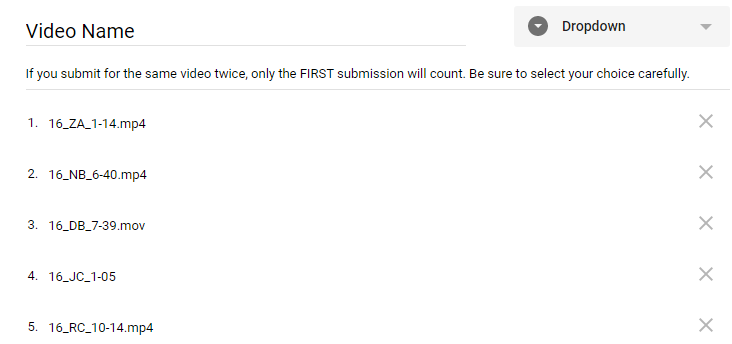
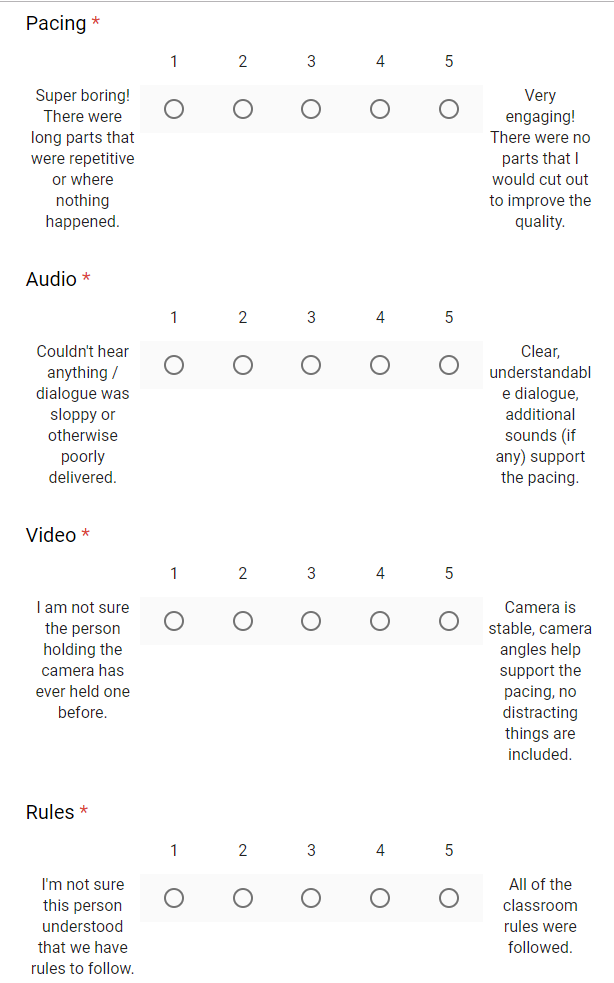
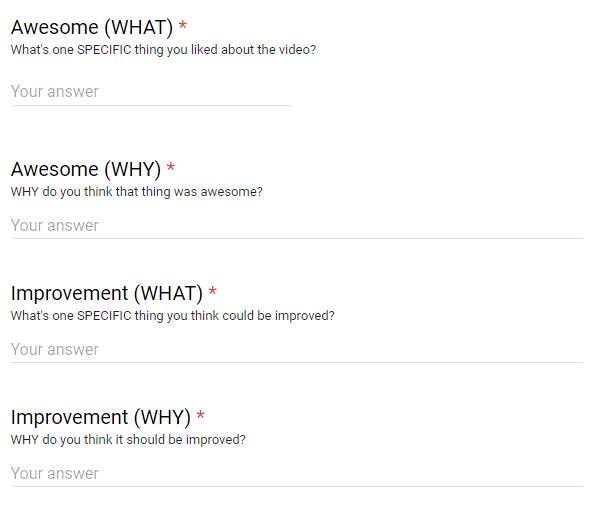
 Of course this  has not always gone smoothly. There have been students that thought single word critiques, or pasting in the same sentence for each critique, were acceptable. One day when I was absent half the class invented time travel and managed to critique all the videos in  a tenth of the time it took to watch them.