Mistakes were made.

Welcome to 2009, a brand new year with new possibilities, new opportunities, new experiences, and the same old mistakes.

And more often than not, all of those things happen at the same time.

I have a habit of mine.  A bad habit, if you will.  A deep, dark secret that will no doubt haunt me as I’m now casting it out amongst the sea of the interwebs.

Sometimes I expect too much from my students.

I’ll take a moment for all of you to let that sink in and then collectively gasp at that realization.  It’s truly shocking, isn’t it?

Now this is not an every day occurance, mind you.  While I’ll often have high expectations for my students, they tend to rise up and meet those goals.  It’s amazing what kids can do if you just give them the opportunity.  However, every practice has a chance of failure.
Case in point: Yesterday I took a 6th grade class to the computer lab to make ads for a fictional recording studio.  The whole lesson was meant to build upon their persuasive writing lessons in language arts.  I’ve done similar lessons in the past, but always in the classroom.  Always with the more “traditional” art supplies.  Markers, crayons, colored pencils, those media are familiar territory to students.

Computers are … less so.  Granted, students can learn new technology quite fast when given the opportunity, but there is a limit to that speed, and yesterday I pushed it.  While I’m certain every student in that room was capable of doing everything I wanted, most could not do it in the time I was able to provide.  There were just too many new concepts to fit into too short a time.

Good work was done (and is still being done, from what the 6th grade teacher has told me), but we didn’t even get to upload our pictures to the wiki as I had originally planned.

So … what do you do when you find yourself in a situation like this?  Short term, cut like crazy.  decide what elements need to be covered right then and leave the rest out.  If it’s something you can continue later, save it for later.  If you know you just won’t have the time to revisit it, make the best of what can be done in the time you have.

Long term, reevaluate.  Not just the lesson, but the media used and the genre of that lesson as well.  With that class, I shouldn’t have used SUMO Paint.  Don’t get me wrong, SUMO Paint is awesome – but it was too much “new” in not enough time.  They’d just finished a PowerPoint project.  Having them build the ad on a single slide would have meant spending a lot less time on how it’s done so I could focus more on why we were doing it.

I’ll admit, in this case my bias against the ubiquitous nature of PowerPoint got the better of me when planning the lesson.  I wanted to show them something new and novel, and as a result I cost them valuable project time.

Was the lesson a loss?  No.  Even though we didn’t do every step I wanted to cover, they managed to explore an unfamiliar media (one of the objectives of my state’s art curriculum) and learn more about how advertisements grab your attention in order to persuade you (tying in with the state’s language arts curriculum).

Mistakes were made, but we learned from them.

And next time, it will be better.
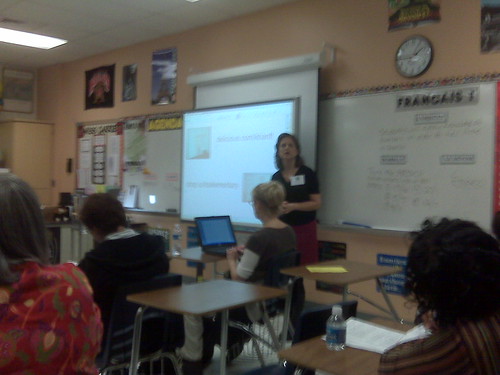
PUWT 2008 – Session 4: Using the SMART Board – It’s Elementary!

IMG00227.jpg

Presented by Cindy Savio.

Education.smarttech.com – a way to share interactive activities for the SMART board.

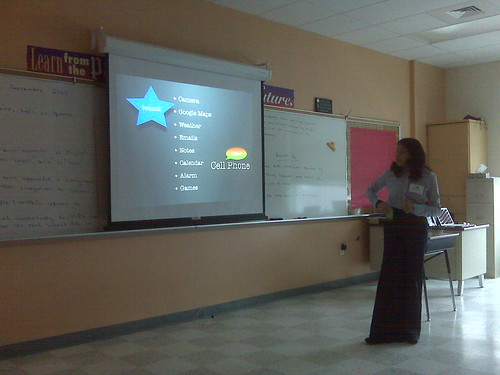
Showing a bunch of cool activities, some from the above site, others integrate media from Discovery Education Streaming.

Cover a whole picture in a solid color, then “erase” the picture to reveal it gradually.  Since the pens write in a layer on top of the screen, the images are preserved.

Drag-and-drop exercises, where students organize things (words, shapes, coins, etc.) by dragging them with their fingers.

Telling time with clocks taken right out of the school kit gallery.

You can make dice!  Import whatever images you want for each side.  The one she showed us was 6 sided, but there are polyhedral dice availible.

PUWT 2008 – Session 3: What’s In A Ning? Online Social Netwoks in K-12 Education

IMG00226.jpg

Presented by Allison Archer

Started out with a Bob Dylan song about times and how they’re a-changin’.  Rolled right into dialogue on MySpace.  (Boo!  Hiss!)  Social Networking is cool and helpful, but MySpace gives it all a bad name.

Enter: Ning – a site that allows us to build our own social networks.  Plenty of collaboration, but also plenty of control.  The presenter created a Ning for her students to share with students in Thailand.

Quick mention about wikis – another way to collaborate.

Now talking about cultural differences encountered between her 2nd grade class and their Thailand partners.    It was a new experience they’d never thought of, so they needed to get used to it.  As teachers we ned to get them used to social networking. Would you put a 16 year old alone in a car with no lessons?  No, we have driver’s ed.

PUWT 2008 – Session 2: Pocket Size Multimedia Studio

IMG00225.jpg

Presented by Evylyn Quinones

1st choice was on 21st century collaboration, but presenter was a no-show.  Walked in on 2nd choice as she was showing off her Flip camera.  Never got to see the built in software before – it allows for basic editing, but also allows you to upload the video to the internet.  Even better, you can change your preferences to save the video in different formats.

Moving on to her voice recorder.  Olympus WS300 – looks like David Warlick’s but I can’t check the model number right now without wifi.  (EDIT: He uses the WS100.)  Looks slick – built in USB (no cord), input for external mic and output for headphones.  Whole thing runs off of a AAA battery.

Talking about Podcasting with GarageBand and Audacity.  Of course, I’ve been doing that since before it was cool. I’m a trend setter, I know. ;-)

Moving onto iPods & iTunes.  A mention of iTunesU and all the cool podcasts in the iTunes “store.”

Talking about saving presentations to iPods as image files just like Hall Davidson.

Playing with the apps you can get for the iPhone.  I like the digital version of a level.

iMovie rocks.  iMovie 06 is so much better than 08 in my opinion, and apparently in the presenter’s opinion as well.

Benefits of YouTube – bigger audience, lower bandwidth costs.

PUWT 2008 – Keynote: Tammy Worcester

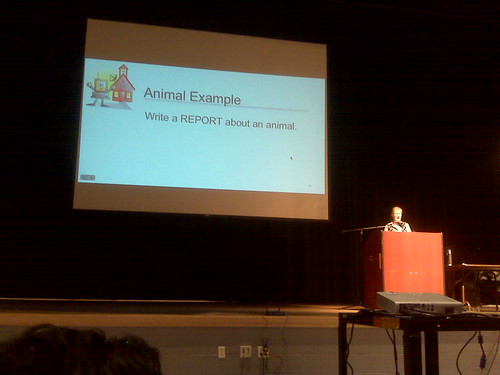
Sitting in the front again, or at least the 3rd row.

IMG00224.jpg

She has a website, of course. :)

Today: Copy/Paste from web.  Our day: Copy from encyclopedia.  Not much different, really, but how can we change assignments so students can learn from them?

Mentioning David Warlick & using a “Building Block” model.

Making glyphs – using data to create personalized graphics – with younger kids.

Now she’s talking about using PowerPoint in unorthodox ways.  Not so keen on PowerPoint myself, but it’s on most computers so there’s a low cost of entry to use it.  Makes sense as a graphics program, especially if you want simplicity.

Back to the glyphs, in this case a pizza.  Mentioning Mac & Windows commands.  She’s continuously demonstrating why she’s a good choice for today’s keynote.  They’re all little things, but they add up.

Moving on – Google Notebook to save resources as we research.  More than just bookmarks, it saves selected text & photos as well!  Want to share?  Publish it as a web page!

Google Docs now.  I Looove Google’s survey feature.  It’s how I do art class sign-ups in my multiple buildings.  She’s talking about having students editing a spreadsheet simultaniously from multiple computers.  Data updates automatically.

Whee!  She’s now using tinyurl.com so those of us with laptops can play with her survey right now.  I’ve been doing the exact same thing.

“Get your cell phones out.”  Looks like we’ll be using PollEverywhere.com.  I remember Hall Davidson doing this as well.  It’s still fun.

Acrostic – key word spelled out vertically, each letter in the word reperesents a fact about that word.  Again, building it in PowerPoint.

Making postcards with PowerPoint that contain facts about the places (or anything else) and citations for where they got the photos.  The limited space makes them think hard about what information should be included.  Print 2 slides/page and get the perfect post card size.

Pyramid Report: triangle filld with facts.  Short one on top and facts get longer as you scroll down.  Delete the triangle before printing.  Then fold it into a “hat” and do “Hats off to __________.”  This idea just got her applause.

Build a Healthy Body – 2 PowerPoint slides cut apart and glued ogether to make a simple person.  Applause again.

Just noticed she’s running Windows XP in a window on her Mac.

Making photos greyscale in PowerPoint to make them look more “classy.”

ABC Biography – Acrostic on sterroids.  Using the whole alphabet to give facts about a person’s life.  A covers the beginning, Z covers the end, and so on.  … “X” is a little tricky.  May want to give some leeway.

Who (or what, or where) Am I? – photo slowly revealed along with text clues.  Don’t chop up the photo, just cover it with rectangles.

PUWT2008 – Session 1: Treasure Hunting at the Library of Congress Online

IMG00223.jpg

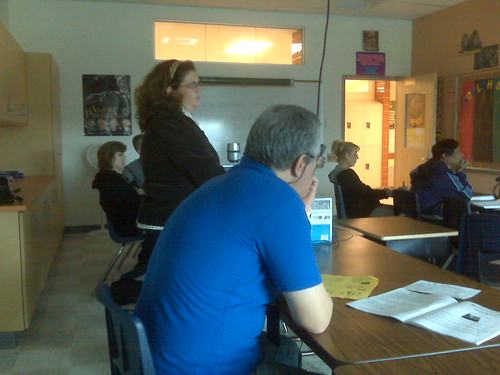
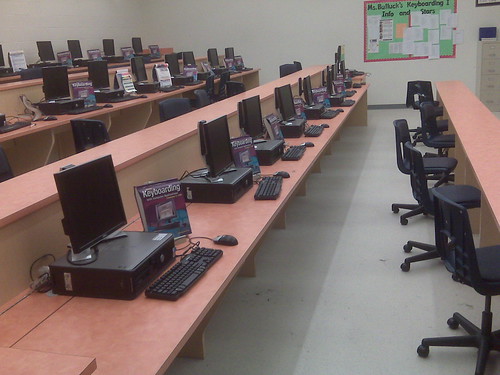
OK, I admit it, my first impression of the session was based entirely on the room.  How’s this?  They face forward to take notes, and turn around to use the computers.  The teacher can see every screen from the front of the room.  Sweet.

Presenter is Danna Bell-Russel, from the Library of Congress.

“Not about the site, but how to find things on the site.”

Presenting with Microsoft Word – Simple, unorthodox, but effective.

LOC isn’t in the business of censorship, but it does have a kid-freandly section.

“Digital Collections” – section with most of the content the LOC has digitized.  Start searches there.

They have a map collection!  I should have used that during my map lesson a few weeks ago…  In any case, their online maps allow you to zoom in and change views.  They even have election maps, as in red states vs. blue states.

Don’t type “Civil War” – too many results.  Refine, refine, refine!  It’s all about the terminology.  “Gas Station” vs. “Filling Station,” for example.

They have Teacher’s Pages with categorized topics and resources – even recorded sounds in mp3 format!  The lessons are created by teachers.  Some are quite huge, but there’s of course no obligation to use the whole lesson as is.

Some of the resources are RealMedia files.  :P

Buuuuuut, they also have an RSS feed. :)

Academic Aesthetic 164: DEN NI 08

Academic Aesthetic 164: DEN NI 08

In today’s show I interview a bunch of people here at the Discovery Educator Network National Institute for 2008.  (I decided to not put the full name in the title.)  See how many faces you can recognize.

Also, my voice is giving out and I feel sick.  Yay for conferences!

Academic Aesthetic 163: Communication

The following was written back in June, but I’ve been sitting on it until now because I wanted to be able to take a step back and look at my writing first before posting.

One would think that sleeping until noon would be one of life’s simple pleasures afforded to teachers during the summer months. While I’ve nothing against prolonged inspection of the backs of my eyelids, I’m still dragging myself out of bed at 5:30 AM at least three days a week to help my wife get ready for dialysis.

Flickr PhotoI won’t go into any great detail on her medical condition here (that’s a subject for a different podcast), but it does leave me with several hours of alone time while she goes through the procedure. On days when I drive her to the dialysis center, gas prices are high enough for it to not make sense for me to drive home and back – making my period of solitude also one where I lack any ability to contact the internet. (UPDATE: I’ve since purchased a BlackBerry Curve, so now my addiction to the internet has reached the next level.)

Now granted, I’ve been incredibly lax in posting things on this site. I could go through lots of excuses, but the one I think I’ll stick with is that it’s a lot harder for me to do one of these entries when I’m not online, even though I feel most inspired when I can’t get online.

Usually when I’m writing out my scripts I’ll have three or four tabs open for reference purposes. Either I’m responding to someone else’s blog post, or linking to another site that further explains a concept, or even looking for just the right picture to insert into the entry. I can’t do any of these things without the internet at my fingertips.

But here I am in my car, in just such a situation. I can do whatever I want, so long as I only use the software and files in my little magic box. Cloud computing? Ha! That’s no good to me here.

Flickr PhotoThis very much reminds me of a job interview I went to a few weeks ago. The position was for teaching technology to students and teachers in a Pre-K through 5th grade school, something that on the surface is really right up my alley. Still, I went in with more questions for them than they had for me.

And everything I encountered made it look like a dream job come true. The school was fairly new, so there weren’t any old computers on the verge of breaking down. The computer lab, the ceiling mounted LCD projectors in every class, the three (THREE!) mobile labs that teachers actively fought over, the school-wide wi-fi, everything about it looked awesome.

Everything, until near the end of my visit when I started asking about wikis, blogs, and podcasts.

Oh, they don’t do those.

In fact, anything that remotely resembles a blog or wiki is actively blocked. The school administration was very forward thinking, but the district had adopted a “walled garden” approach that would have prevented me from visiting even my own website from school.

Flickr PhotoContrast this with my current employer, which isn’t throwing as much cash into tech programs but is actively encouraging teachers to use resources available to them on the internet – including workshops on blogging, podcasting, and wikiing.

“Wikiing?” Is that a word? Nevermind.

Long story short(er), I’m not pursuing the job. I only went to the interview because it sprung up at the last moment, and I felt I needed to dust the cobwebs off of the old portfolio. With the way technology is advancing, and the skills that I see successful people using right now, I feel I could do more to prepare kids for the real world with a lab of salvaged computers running linux and my current employer’s filtering policy than all the high tech gadgetry in the world but no way to use it properly.

Because while the tech is cool, it’s really not about the tech. It’s about communication. It’s about collaboration.

And it’s about teaching students how to use these things responsibly, because locking kids in their rooms for fear that they’ll go to the mall and something scary will happen will not prepare them for when they finally move out and go there themselves. Instead, we should take them there, hold their hands at first, and show them how to react in that environment.

Anything else is a disservice to the generation that will be running our nursing homes when we retire.