Categories
Education Technology

I know too much.

I spent the first half of this school year taking a graduate class that was required for me to renew my certification.  It was a good class, and I learned a lot, but it did take a decent amount of time each week for me to complete the assignments.  (Had it not done so it possibly wouldn’t have been a good class, but that’s an assertion for another day.)
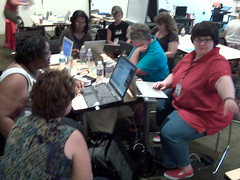
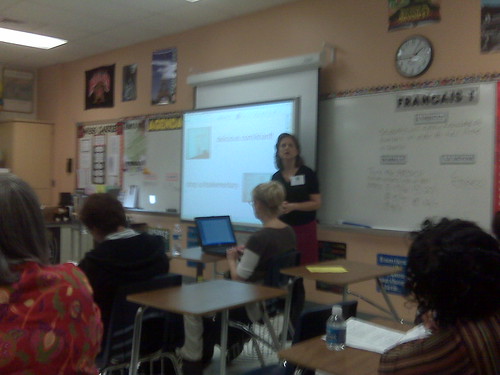
I miss these people.

The class ended in December, and I began looking forward to all the “free time” I would have.  “Free time” is in quotes, of course, because my time was not actually free before I enrolled in that course.  I simply put off some responsibilities for others.  You may have noticed I’m blogging a little more now – that’s one thing I’d been neglecting, and I apologize for that.

Unless you liked the fact I was blogging less, and in that case I’d apologize for my return to the blogosphere if I wasn’t wondering why you’re reading this in the first place.

*Ahem.* Let’s move on.

As I’m getting back into the swing of things I’m noticing that conference season is in full swing.  MICCA‘s deadline to submit presentation proposals is almost here, NECC is local-ish this year, and PETE&C is just around the corner.

Discovery rocks!

That brings my rambling to a topic worth discussing.  Every year the Discovery Education Network runs a day long pre-conference for PETE&C.  I’ve attended more than once, and every time I felt it was worth it.  Forget the fact that it’s held in Hershey, PA, a town that smells like chocolate for very obvious reasons, it’s also free for DEN Star members.  I’ve held that status for a while now, as do many of my friends who I will only get to see in person at events like this.

And I’m thinking of not going.

It’s not because of my wife’s health.  Though she’s not at her best right now, I honestly think she’d enjoy and benefit from a weekend out of the house.  (Though I shudder to think how much money she’d spend in Hershey, that’s only me fulfilling my stereotypical duty as a husband.)

It’s not because of the cost.  Gas prices are relatively down, and I have family that’s somewhat close to Hershey where we could spend a night or two if needed.  I’m not attending the full PETE&C conference anyway, so that price isn’t even a factor.

It’s because I’m not sure how much I’d learn.

OK, that sounded like a jab against the DEN, so let’ take a moment to explain it a little better.

These people rock!

On the grand scale of technological geekery (yes, I made that word up), where a 1 means I have trouble checking my email and a 10 means I can whistle into a phone line and get a 56k connection, I’m about a 4.  To people who rank 1 or 2 I appear to be a 10, but I know better.  Right now I’m at the stage where the more I learn, the more I find out how much I don’t know.  It’s exciting and depressing at the same time, because I really would like to know everything.

… but maybe not reach 10 on that scale – I can’t whistle very well.

Back on topic.  The DEN is awesome because they take teachers, many of which are 1 and 2 on the aforementioned scale, and turn them into 3s and 4s.

But I’m already a 4, which means I’m not learning as much.  Google Earth is great, but I don’t need to see another workshop that explains why it’s great.

The DEN blogs?  An awesome, free service that’s worth checking out.  When new features are added I like to know about them, but that’s because I want to know if I should install them on my own blog.

Discovery Education Streaming?  The Builders?  Microblogging?  Digital storytelling?  I could go on, but I don’t need to.  There’s more I could learn on each of these topics, but I strongly doubt I would learn much because I’m not the DEN’s target audience at this pre-conference.

If I did go, it would be to socialize.  To see people face to face that I haven’t seen in months if not longer (and in some cases never, much to my regret…), and to share with each other what we’ve learned and experienced over that time.  I’d like to do that.  To me it’s one of the most enjoyable parts of a conference – any conference.

But if I do that, I’ll probably be filling up a spot that some one else could have used.  Someone who may very well need the DEN to teach them the things that I already know enough about to run my own workshops.

I don’t think that would be fair to them.

So I really hope those of you that will be at PETE&C this year will be liveblogging it, if for no other reason than to let me live vicariously through your posts.  You don’t have any excuse not to, since you already have a blog provided to you by the DEN.

I’ll be watching.
Categories
Art Technology

I <3 Skitch

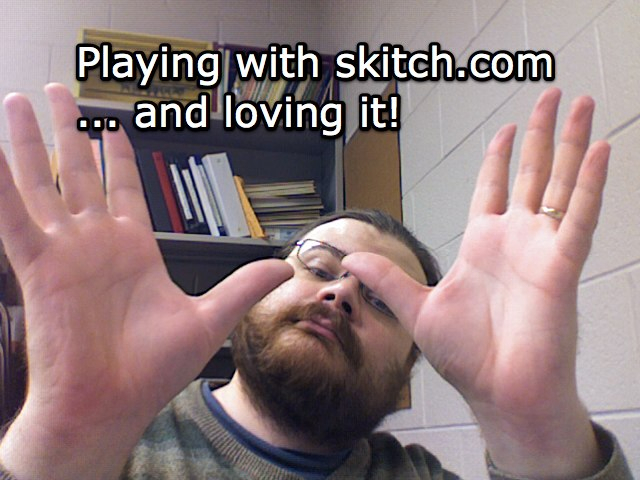
cam2Every now and then a program comes along that is so fantastic, so perfect for what I do in the classroom, that I can’t help but use it.  Skitch is one of those programs.

Honzo The Sad Monkey

I first found out about it when Bre Pettis started posting drawings he’d made using the program.  Intrigued, I downloaded it, played with it, fell in love, and used it in one of my classes the same day.  Not only was it that easy to use, it was appropriate, too.

Skitch has a variety of options out of the box.  I can start with a blank image, take a screen capture of any size or portion of my screen, drag in a preexisting image, import something from my iPhoto library, or even use my laptop’s built-in iSight camera to snap a picture of myself.  That image, whatever it’s source, becomes the background layer.

washington
(The quick math on the side shows the years between the event and the painting.)

On top of that layer I can draw, write, annotate, highlight, whatever, using a small selection of tools.  Since all of this is on a layer on top of the image I can erase or cover up without fear of destroying the original image.

When I’m done I can upload the image to Skitch’s own servers where it’ll give me a Flickr-esque code I can use to insert it into webpages.  Got a .Mac MobileMe account?  It can upload them to there instead if you want.  You can even drag the picture to your desktop if you decide you want to upload it through a different service, or simply not upload it at all.

As much as I’m loving Skitch, it’s not all things to all people.  As of now I can’t have it record video through my webcam – still photos only.  For quick video on the Mac Photo Booth and iMovie are still the way to go.

Have an older Mac or (oh no!) a computer running Windows?  You’re out of luck – Skitch will only run on Mac OS 10.4.6 or later.

The drawing tools are also very limited.  Adequate for underlining, circling, and so on, but GIMP and SUMO Paint are much more advanced with a wide variety of features.

Text can be added quickly and easily, but there’s a limit to how large or small I can make it and I still haven’t figured out if I have any control over the font.

With all these negatives, why do I bother to use Skitch?  Because it’s the best at what it does – selecting an image and building upon it quickly with minimal effort.  All the times I used GIMP in the classroom no teacher ever asked me where I got such a full featured application.  Sure, I COULD do the same stuff with GIMP or Photoshop, but that would be like using a car to visit your next door neighbor.  In most cases walking (& using Skitch) is simpler and faster.

Most teachers ask me about Skitch when they see me use it, because the interface is non-threatening and they see immediately how it can be used to reinforce their teaching styles.

It’s a shame they all have Windows based laptops.

Categories
Art Education Technology

Mistakes were made.

Welcome to 2009, a brand new year with new possibilities, new opportunities, new experiences, and the same old mistakes.

And more often than not, all of those things happen at the same time.

I have a habit of mine.  A bad habit, if you will.  A deep, dark secret that will no doubt haunt me as I’m now casting it out amongst the sea of the interwebs.

Sometimes I expect too much from my students.

I’ll take a moment for all of you to let that sink in and then collectively gasp at that realization.  It’s truly shocking, isn’t it?

Now this is not an every day occurance, mind you.  While I’ll often have high expectations for my students, they tend to rise up and meet those goals.  It’s amazing what kids can do if you just give them the opportunity.  However, every practice has a chance of failure.

Case in point: Yesterday I took a 6th grade class to the computer lab to make ads for a fictional recording studio.  The whole lesson was meant to build upon their persuasive writing lessons in language arts.  I’ve done similar lessons in the past, but always in the classroom.  Always with the more “traditional” art supplies.  Markers, crayons, colored pencils, those media are familiar territory to students.

Computers are … less so.  Granted, students can learn new technology quite fast when given the opportunity, but there is a limit to that speed, and yesterday I pushed it.  While I’m certain every student in that room was capable of doing everything I wanted, most could not do it in the time I was able to provide.  There were just too many new concepts to fit into too short a time.

Good work was done (and is still being done, from what the 6th grade teacher has told me), but we didn’t even get to upload our pictures to the wiki as I had originally planned.

So … what do you do when you find yourself in a situation like this?  Short term, cut like crazy.  decide what elements need to be covered right then and leave the rest out.  If it’s something you can continue later, save it for later.  If you know you just won’t have the time to revisit it, make the best of what can be done in the time you have.

Long term, reevaluate.  Not just the lesson, but the media used and the genre of that lesson as well.  With that class, I shouldn’t have used SUMO Paint.  Don’t get me wrong, SUMO Paint is awesome – but it was too much “new” in not enough time.  They’d just finished a PowerPoint project.  Having them build the ad on a single slide would have meant spending a lot less time on how it’s done so I could focus more on why we were doing it.

I’ll admit, in this case my bias against the ubiquitous nature of PowerPoint got the better of me when planning the lesson.  I wanted to show them something new and novel, and as a result I cost them valuable project time.

Was the lesson a loss?  No.  Even though we didn’t do every step I wanted to cover, they managed to explore an unfamiliar media (one of the objectives of my state’s art curriculum) and learn more about how advertisements grab your attention in order to persuade you (tying in with the state’s language arts curriculum).

Mistakes were made, but we learned from them.

And next time, it will be better.

Categories
Art Misc. Video Technology

Support the EFF!

EFFdonate

The Electronic Frontier Foundation is doing a fundraiser, and to kick it off they’ve released a short animated song to show just what they do.

If you’re a long term follower of this blog then I don’t need to tell you the EFF is awesome. While as an artist I feel I should have the final say with what’s done with my media, I think current practices go too far towards enforcing outdated business models.

Image uploaded with plasq‘s Skitch!

Categories
Site News

Apologies

The rumors of my demise … yadda yadda yadda.

Sorry I haven’t been blogging much. I’ve been somewhat active, to which my Plurk stream will attest, but a variety of projects other than this website have left me either short on time, short on creativity, or a combination of the two.

I’ll admit, when this school year started I bit off more than I could chew.  Not because I had started too many projects (which I had), but because I also have additional duties outside of school that were either nonexistant or not as time consuming as last year.

So this break I’m going to re-evaluate a few things.  I don’t want to give up this blog, but I may be cutting back on other things to give myself more “free” time for other projects.

… anyone want to manage the Teachers20.com community?

Categories
Education Technology

PUWT 2008 – Session 4: Using the SMART Board – It’s Elementary!

IMG00227.jpg

Presented by Cindy Savio.

Education.smarttech.com – a way to share interactive activities for the SMART board.

Showing a bunch of cool activities, some from the above site, others integrate media from Discovery Education Streaming.

Cover a whole picture in a solid color, then “erase” the picture to reveal it gradually.  Since the pens write in a layer on top of the screen, the images are preserved.

Drag-and-drop exercises, where students organize things (words, shapes, coins, etc.) by dragging them with their fingers.

Telling time with clocks taken right out of the school kit gallery.

You can make dice!  Import whatever images you want for each side.  The one she showed us was 6 sided, but there are polyhedral dice availible.

Categories
Education Technology

PUWT 2008 – Session 3: What’s In A Ning? Online Social Netwoks in K-12 Education

IMG00226.jpg

Presented by Allison Archer

Started out with a Bob Dylan song about times and how they’re a-changin’.  Rolled right into dialogue on MySpace.  (Boo!  Hiss!)  Social Networking is cool and helpful, but MySpace gives it all a bad name.

Enter: Ning – a site that allows us to build our own social networks.  Plenty of collaboration, but also plenty of control.  The presenter created a Ning for her students to share with students in Thailand.

Quick mention about wikis – another way to collaborate.

Now talking about cultural differences encountered between her 2nd grade class and their Thailand partners.    It was a new experience they’d never thought of, so they needed to get used to it.  As teachers we ned to get them used to social networking. Would you put a 16 year old alone in a car with no lessons?  No, we have driver’s ed.

Categories
Art Education Technology

PUWT 2008 – Session 2: Pocket Size Multimedia Studio

IMG00225.jpg

Presented by Evylyn Quinones

1st choice was on 21st century collaboration, but presenter was a no-show.  Walked in on 2nd choice as she was showing off her Flip camera.  Never got to see the built in software before – it allows for basic editing, but also allows you to upload the video to the internet.  Even better, you can change your preferences to save the video in different formats.

Moving on to her voice recorder.  Olympus WS300 – looks like David Warlick’s but I can’t check the model number right now without wifi.  (EDIT: He uses the WS100.)  Looks slick – built in USB (no cord), input for external mic and output for headphones.  Whole thing runs off of a AAA battery.

Talking about Podcasting with GarageBand and Audacity.  Of course, I’ve been doing that since before it was cool. I’m a trend setter, I know. ;-)

Moving onto iPods & iTunes.  A mention of iTunesU and all the cool podcasts in the iTunes “store.”

Talking about saving presentations to iPods as image files just like Hall Davidson.

Playing with the apps you can get for the iPhone.  I like the digital version of a level.

iMovie rocks.  iMovie 06 is so much better than 08 in my opinion, and apparently in the presenter’s opinion as well.

Benefits of YouTube – bigger audience, lower bandwidth costs.

Categories
Education Technology

PUWT 2008 – Keynote: Tammy Worcester

Sitting in the front again, or at least the 3rd row.

IMG00224.jpg

She has a website, of course. :)

Today: Copy/Paste from web.  Our day: Copy from encyclopedia.  Not much different, really, but how can we change assignments so students can learn from them?

Mentioning David Warlick & using a “Building Block” model.

Making glyphs – using data to create personalized graphics – with younger kids.

Now she’s talking about using PowerPoint in unorthodox ways.  Not so keen on PowerPoint myself, but it’s on most computers so there’s a low cost of entry to use it.  Makes sense as a graphics program, especially if you want simplicity.

Back to the glyphs, in this case a pizza.  Mentioning Mac & Windows commands.  She’s continuously demonstrating why she’s a good choice for today’s keynote.  They’re all little things, but they add up.

Moving on – Google Notebook to save resources as we research.  More than just bookmarks, it saves selected text & photos as well!  Want to share?  Publish it as a web page!

Google Docs now.  I Looove Google’s survey feature.  It’s how I do art class sign-ups in my multiple buildings.  She’s talking about having students editing a spreadsheet simultaniously from multiple computers.  Data updates automatically.

Whee!  She’s now using tinyurl.com so those of us with laptops can play with her survey right now.  I’ve been doing the exact same thing.

“Get your cell phones out.”  Looks like we’ll be using PollEverywhere.com.  I remember Hall Davidson doing this as well.  It’s still fun.

Acrostic – key word spelled out vertically, each letter in the word reperesents a fact about that word.  Again, building it in PowerPoint.

Making postcards with PowerPoint that contain facts about the places (or anything else) and citations for where they got the photos.  The limited space makes them think hard about what information should be included.  Print 2 slides/page and get the perfect post card size.

Pyramid Report: triangle filld with facts.  Short one on top and facts get longer as you scroll down.  Delete the triangle before printing.  Then fold it into a “hat” and do “Hats off to __________.”  This idea just got her applause.

Build a Healthy Body – 2 PowerPoint slides cut apart and glued ogether to make a simple person.  Applause again.

Just noticed she’s running Windows XP in a window on her Mac.

Making photos greyscale in PowerPoint to make them look more “classy.”

ABC Biography – Acrostic on sterroids.  Using the whole alphabet to give facts about a person’s life.  A covers the beginning, Z covers the end, and so on.  … “X” is a little tricky.  May want to give some leeway.

Who (or what, or where) Am I? – photo slowly revealed along with text clues.  Don’t chop up the photo, just cover it with rectangles.

Categories
Art Education Technology

PUWT2008 – Session 1: Treasure Hunting at the Library of Congress Online

IMG00223.jpg

OK, I admit it, my first impression of the session was based entirely on the room.  How’s this?  They face forward to take notes, and turn around to use the computers.  The teacher can see every screen from the front of the room.  Sweet.

Presenter is Danna Bell-Russel, from the Library of Congress.

“Not about the site, but how to find things on the site.”

Presenting with Microsoft Word – Simple, unorthodox, but effective.

LOC isn’t in the business of censorship, but it does have a kid-freandly section.

“Digital Collections” – section with most of the content the LOC has digitized.  Start searches there.

They have a map collection!  I should have used that during my map lesson a few weeks ago…  In any case, their online maps allow you to zoom in and change views.  They even have election maps, as in red states vs. blue states.

Don’t type “Civil War” – too many results.  Refine, refine, refine!  It’s all about the terminology.  “Gas Station” vs. “Filling Station,” for example.

They have Teacher’s Pages with categorized topics and resources – even recorded sounds in mp3 format!  The lessons are created by teachers.  Some are quite huge, but there’s of course no obligation to use the whole lesson as is.

Some of the resources are RealMedia files.  :P

Buuuuuut, they also have an RSS feed. :)